 SignBridge


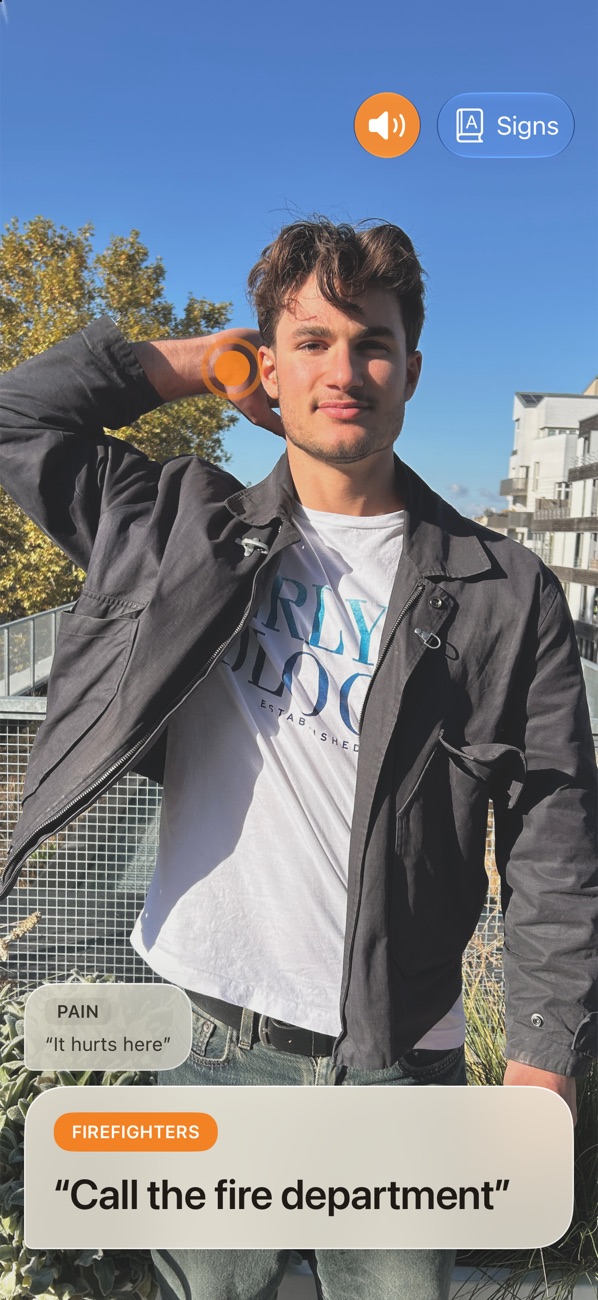
When everysecond counts.
SignBridge helps a person who signs to be understood: point the camera, and the recognised LSF signs appear as a sentence, read aloud.
Saywhat’s wrong.
How it works
Open the app and point the camera at the person signing.
They make a sign, with hands and upper body in the frame. A framing guide helps them get in place.
The sentence appears on screen and can be read aloud.
Signs for themoments that matter.
Saying hello, asking for a doctor, showing where it hurts, calling the fire department: the signs were chosen for situations where people need to understand each other fast. The full list opens from the main screen.
Face to facewith iPhone Duo.
The outer display guides the person signing into position, then shows them the recognised word, so they can check they were understood.
On-deviceAI model.Offline.Instant.
A tool, not an interpreter.
SignBridge recognises LSF signs. It does not understand LSF in general, it can get signs wrong, and it does not replace an interpreter. The list will grow over time.
A question, or a sign you'd like to see?
Write to us. For a problem, please include your iPhone or iPad model and system version.